


hopto
Keyboard launcher for your macOS apps and links. One shortcut, type, Enter.
The Problem
Spotlight mixes apps, files, mail and web results in one list. Bookmarks live inside one browser and open with the mouse. And the launchers that do better keep your list in a format you cannot read, move or back up on your own.
The Solution
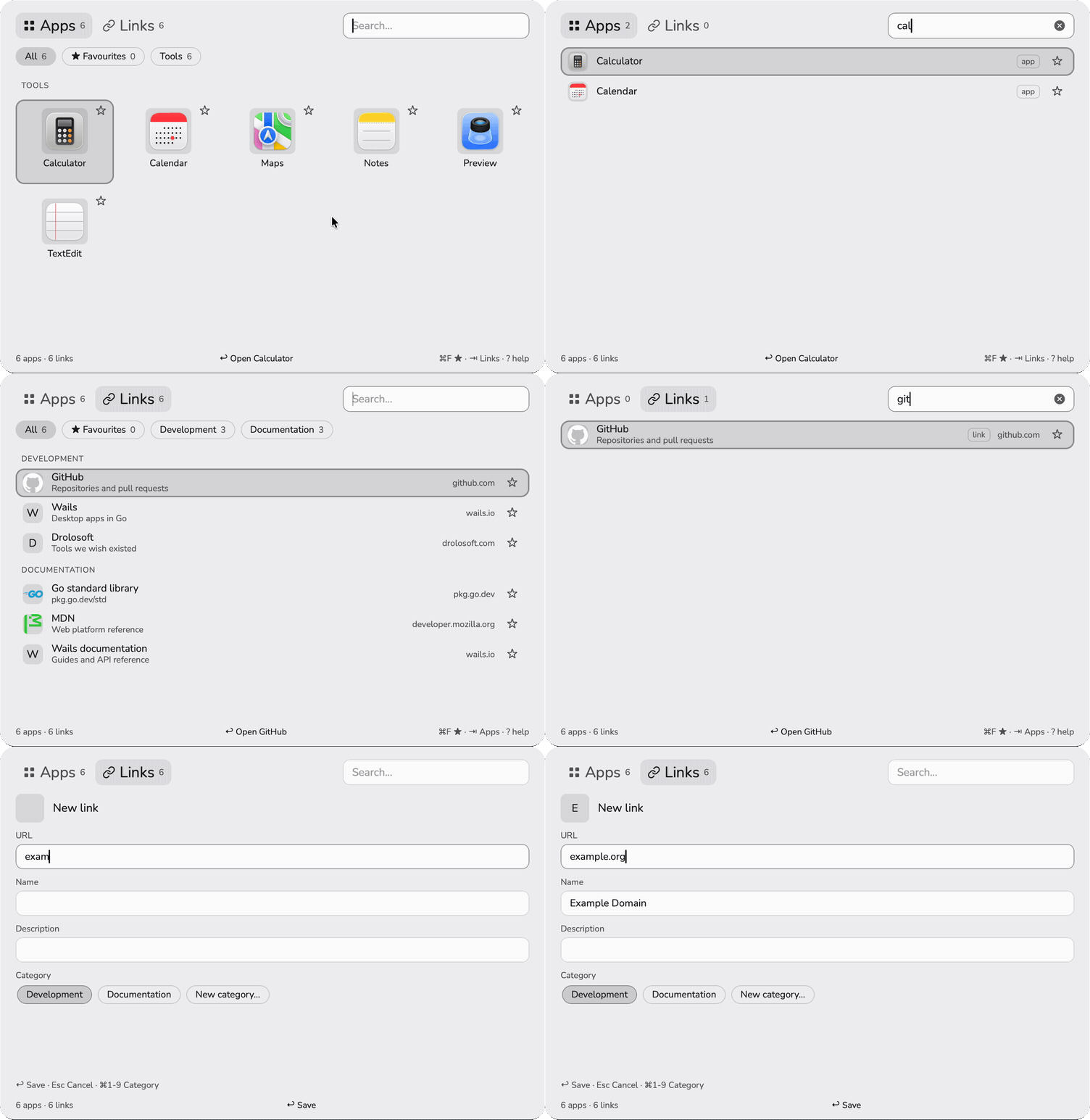
Press ⌘⇧Space for your apps or ⌘⌥Space for your links, type a few letters, press Enter. Your whole library is one library.toml file that you can edit by hand and keep in git, and hopto never overwrites it when it cannot read it.
Why hopto?
hopto does one job, getting you to an app or a page in two keys, and it keeps your data where you can see it.
| The usual way | hopto | |
|---|---|---|
| 🔀 | One list mixes apps, files, mail and the web | Apps on one shortcut, links on another |
| 🔗 | Bookmarks inside one browser, opened with the mouse | Links open from any app; ⌘↩ sends one to a second browser |
| 📄 | Settings in a database you cannot read | One TOML file you can edit, back up and keep in git |
| 🐢 | Typing half an address to find a page you rarely open | Search by name, host, keywords and description |
| 🔒 | An account, a sync service, a subscription | Free, open source, nothing leaves your Mac but icon downloads |
Features
Two Shortcuts, One Panel
⌘⇧Space for apps, ⌘⌥Space for links. The same shortcut again hides the panel; the other one switches tab. Both can be changed in the file.
One Search for Both
Typing searches apps and links together, by name, host, keywords and description, ignoring accents and case.
Apps Found for You
Everything in /Applications and ~/Applications, the apps of /System/Applications as you type, and the web apps installed from Microsoft Edge.
Links With Categories
A chip for each category, a favourites chip, and the links you open most at the top of the list.
Add by Typing
Type an address that is not there and press Enter: the editor fills in the page's name, description and icon, and ⌘1 to ⌘9 picks the category.
A File You Own
library.toml is read again every time the panel opens, written atomically, and never overwritten when it cannot be parsed.
Icons That Stay
Fetched once from the site or a selfh.st hint and kept as files, through a client that allows only https and refuses private addresses.
Menu Bar Item
Open, Help, Edit library.toml, Open at login and Quit, for when you need hopto without a shortcut.
Light, Dark, English, Spanish
Follows the theme and the language of macOS, or the settings. No Dock icon and no window until you call it.
How It Works
A Go program with a Wails window. The panel is a small web page in a WKWebView; the library, the app scans, the icons and everything native are Go.
The shortcuts are Carbon hotkeys: global, with no Accessibility permission. hopto runs as an accessory app, so it has no Dock icon and no place in ⌘⇥, and the panel returns to the display it was last on, in every Space. The page only ever sends Go an id; Go looks up the app or the URL and hands it to open, like a double click in the Finder.
Quick Start
One zip for every Mac from macOS 12, Apple silicon and Intel alike. Nothing to install but the app.
- Download
hopto-<version>-macos-universal.zipfrom the latest release. - Open the zip and move
hopto.appto Applications. - hopto is not signed with an Apple Developer ID yet, so macOS refuses the first open. Clear the download flag once with the commands below, or open it, close the warning, and click Open Anyway in System Settings, Privacy & Security.
- Press ⌘⇧Space. The welcome panel lists both shortcuts and whether each one is ready.
Build from source
Go 1.27, Node 22 and the Xcode Command Line Tools.
Keyboard
Everything works from the keyboard. Press ? in the panel for the full list.
| Keys | Action |
|---|---|
⌘⇧Space | Show your apps; on that tab, hide the panel |
⌘⌥Space | Show your links; on that tab, hide the panel |
↩ | Open the app or the link |
⌘↩ | Open a link in your second browser |
⌘C | Copy the URL or the path |
⌘F | Add to favourites, or remove |
⌘N | Add a link, or an app on the apps tab |
⌘E | Edit the selected item |
⌘⌫ | Delete a link, or hide a found app (asks first) |
? | Show every shortcut |
Requirements
A Mac. That is all.
| Requirement | Detail |
|---|---|
| macOS | 12 or later |
| Processor | Apple silicon and Intel: one universal app |
| Network | Only to fetch link icons and to read a page you add |
| Build from source | Go 1.27, Node 22, Wails CLI v2.16, Xcode Command Line Tools |
Built With
A small stack, with every native piece written out in the open and documented.
- Go 1.27: the library, the scans, the icons and the HTTP client
- Wails v2: the window and the bridge between Go and the page
- Carbon and Cocoa through cgo: global shortcuts, the accessory app, Spaces and round corners
- Plain JavaScript: the panel, with no framework, bundled by Vite
- Playwright WebKit: browser tests of the panel on every push, next to the Go and Node tests
- TOML: one readable file for the whole library

I build tools I wish existed, then give them away.
If one of them saved you time, a coffee keeps the next one coming.

Your apps and links, two keys away
hopto is free and open source, one download for any Mac from macOS 12.